

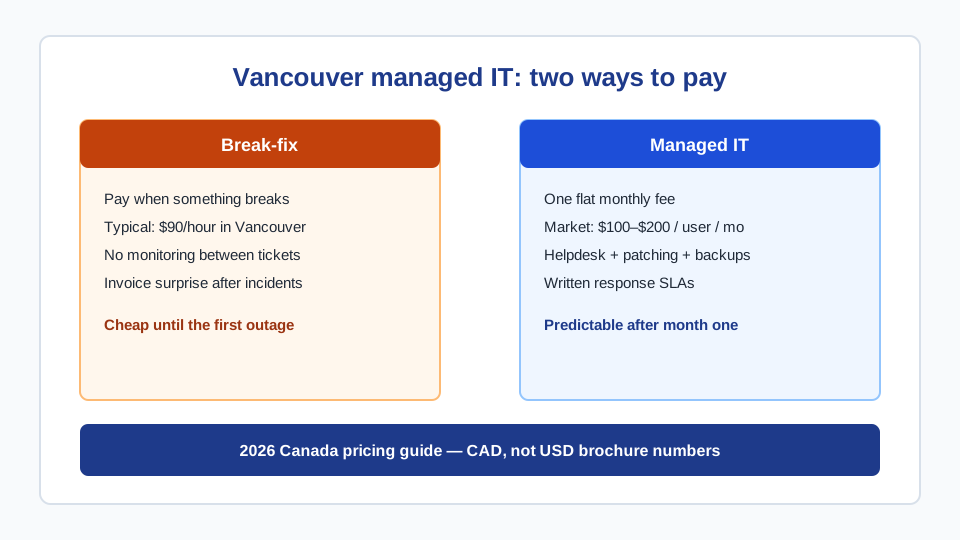
Managed IT · Vancouver pricing
How Much Do Managed IT Services Cost in Vancouver? (2026 Pricing)
Search “it managed services pricing” and you get American blog posts quoting US$99–250 per user, a couple of Canadian firms starting at C$180, and almost nothing that says what a 12-person Vancouver office should actually budget. This guide is the local version: CAD ranges, the three billing models MSPs use, what is usually included, and when hourly IT support is still the cheaper honest answer.
What you are actually buying
Managed IT services (the work of a managed services provider, or MSP) are a recurring operating agreement: helpdesk, monitoring, patching, backups, identity/security basics, and vendor coordination, paid as a monthly fee instead of a stack of hourly invoices. That is different from IT consulting, which is project and strategy work, and different from break-fix support, which starts when something is already broken.
If you want the “what is included” version without prices, we already published a short explainer at managed IT services for Vancouver small businesses. This article is the cost page: what the market charges, why quotes diverge by $100/user, and how to read a proposal without getting sold a three-year lock-in.
2026 Canada and Vancouver price ranges
Live Canada search results for managed IT pricing (September 2026) cluster around the same bands, even when the authors are not local:
- Per user: US guides still say $99–$250/user/month. Canadian write-ups we see in the same SERP start nearer C$180/user and climb past C$230 when endpoint detection, email security, and 24/7 monitoring are bundled.
- Per device: roughly C$50–$100 per workstation, with a server often quoted as C$150–$250 on its own. Phones and tablets may or may not count — ask.
- Vancouver market (our experience quoting against other Metro Vancouver providers): most complete small-business stacks land in the C$100–$200 per user per month neighbourhood when you normalize what is actually included. The cheap quote is usually missing backups, MFA rollout, or after-hours coverage.
Those are market anchors, not a price list. We do not publish a per-seat menu because a 8-person law firm with a server and Microsoft 365 is not the same job as a 8-person trades business with phones in trucks and a shared inbox. Our managed IT services in Vancouver page is the commercial offer: one written flat fee after discovery, month-to-month after onboarding, response SLAs in the agreement.
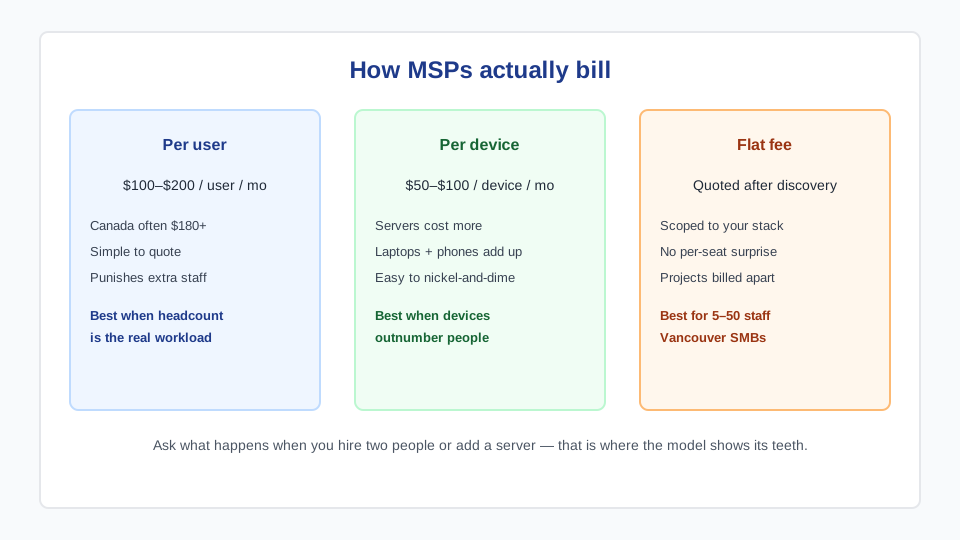
The three billing models (and how they bite later)
Per user
Simplest to compare. Everyone with an account is a seat. It maps cleanly onto Microsoft 365 or Google Workspace headcount. It also punishes growth: two new hires is two new seats even if they share a desk and create almost no extra tickets. Fine when people are the workload (professional services). Awkward when contractors, seasonal staff, or shared-shop PCs inflate the count.
Per device
Looks cheaper on the first page of the proposal. Then you count laptops, a couple of desktops, a server, a NAS, three printers, and someone’s iPad that gets mail. Vendors who quote C$51–$100 per device are not being dishonest — they are just not quoting the same unit you thought you were buying. Insist on a device inventory in the proposal, with servers on their own line.
Scoped flat fee
This is how we sell it. After a discovery call we write down users, devices, servers, cloud tenants, and the ugly bits (the unexplained firewall, the bookkeeper’s home PC). The monthly number covers that environment. Hire two people? We revisit at the next quarterly review, not on the next invoice. Add a second location or a new server? That is a scope change, quoted in writing. Projects stay off the retainer so the operating fee does not silently become a dumping ground.
What a real managed agreement should include
If a quote is C$80/user and the next one is C$190, they are not selling the same thing. A complete small-business stack in Vancouver usually includes:
- Helpdesk with written response targets (critical vs standard), not “we try our best.”
- 24/7 monitoring of servers, endpoints, and the website or VPN that the business actually depends on.
- A monthly patch cycle for operating systems and the applications that get you breached (browsers, Office, VPN clients).
- Security baseline: MFA everywhere it will stick, endpoint protection, email authentication (SPF / DKIM / DMARC), least-privilege admin.
- Off-site backups that have been restore-tested, including Microsoft 365 or Google Workspace — mailbox backups are not “the cloud has copies.”
- Cloud administration and license cleanup. Most offices overpay for unused seats. Still choosing a suite? See our Google Workspace vs Microsoft 365 comparison in CAD.
- Vendor management so the internet provider, phone system, and printer contract stop being your problem.
- A monthly report a non-technical owner can read, and a quarterly review with a 90-day plan.
If any of those are “available as an add-on,” add them to the comparison price or you are shopping a hollow plan. Cybersecurity work beyond the baseline — penetration tests, formal incident retainers — lives on our cybersecurity page and should not be smuggled into the MSP fee without a scope line.
The break-fix math most owners skip
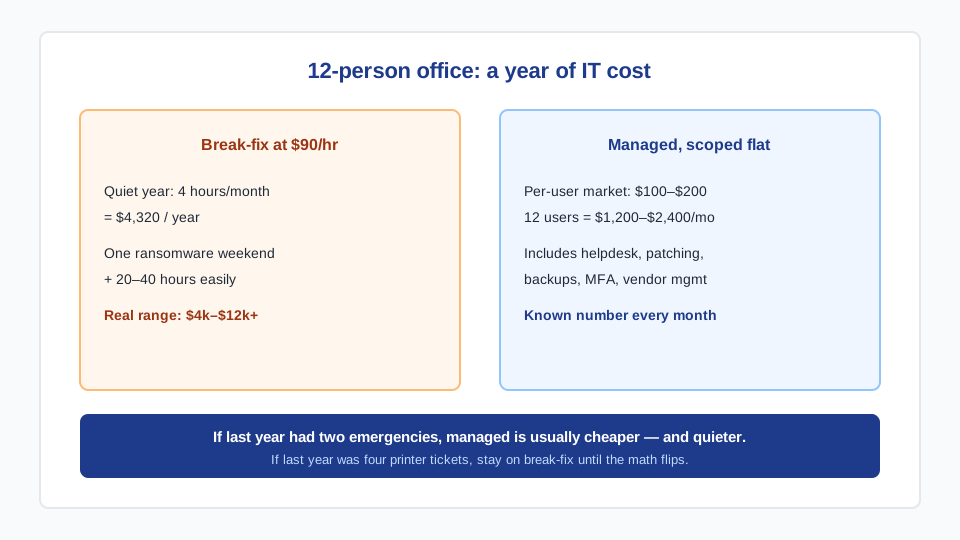
Our on-demand rate is $90 CAD/hour, quoted before we start, with block-hours if you know you will need a few hours a month. That is the right product when IT is occasional. It is the wrong product when the same class of problem keeps coming back, or when nobody is watching backups and patching between tickets.
A 12-person office that used four hours a month last year spent about C$4,320 on break-fix and had zero monitoring on the other 160 hours. The same office on a mid-market per-user plan at C$150 × 12 is C$21,600/year — which sounds like a lot until you price one ransomware weekend, one failed backup, or two weeks of a compromised mailbox. The honest test is not the brochure. It is last year’s ticket list plus the incidents you did not write down because the owner fixed them on Sunday.
If the math still favours hourly, stay on IT support in Vancouver. We will tell you that. Plenty of clients start there and move to managed IT only when the monthly comparison is no longer close.
Hidden fees that make a cheap MSP expensive
- Onboarding / “onboarding project.” Reasonable if it is a time-boxed audit and MFA rollout. Not reasonable if it is a 3× monthly fee with no deliverable list.
- After-hours premiums. If 24/7 is in the pitch, it should be in the price. Otherwise you will meet a 1.5× night rate the first time email dies at 7 p.m.
- Security stack upsells. Endpoint detection, email filtering, and backup licenses are sometimes quoted “plus vendor cost.” Fine — just add them before you compare.
- Seat true-ups. Quarterly audits that add every contractor and phone. Ask how seats are counted on day one.
- Offboarding hostages. Documentation, password vaults, and admin roles should be yours. If leaving requires a “transition package,” that is a lock-in, not a service.
We do not require a multi-year term. Agreements are month-to-month after the first 30-day onboard. That is a pricing decision as much as a cultural one: if the work is good, the contract does not need to trap you.
Who should buy managed IT in Vancouver (and who should not)
A strong fit: 5–50 staff, no internal IT person (or one person who is already underwater), professional-services or clinic data, a Microsoft 365 / Google Workspace tenant that nobody owns, or a recent scare that made “we will get to backups” feel expensive. Remote and hybrid teams are fine — most of the work is already screen-share and cloud admin; on-site across Metro Vancouver is for hardware and office moves.
A weak fit: a 2-person studio with one Mac each and no shared systems; a company that already has a competent internal IT lead and only needs overflow (that is co-managed, quoted differently); or a shop whose only recurring need is “the printer jammed twice.” For those, hourly support or a light retainer is the cheaper honest answer. We would rather send you there than collect a fee you will resent in month four.
How a quote from us actually works
One discovery call. We map headcount, devices, servers, cloud accounts, and the current pain. You get a written monthly number with response targets and a one-page scope of what is in and what is a project. Onboarding is about 30 days: inventory and vault in week one, then MFA, backup verification, patch catch-up, and endpoint protection. After that the work is the cadence — monitoring, patching, helpdesk, vendor calls, a monthly report, a quarterly review.
If you are switching providers, we collect credentials and run a short overlap so nothing drops. Most switches finish in two to four weeks. If you already have an internal person, we write a split of responsibilities instead of pretending we replaced them.
Frequently asked questions
How much does an MSP cost per month in Vancouver?
Plan on C$100–$200 per user per month for a complete small-business stack, or a scoped flat fee in that neighbourhood after we count devices and servers. Bare quotes under C$80/user usually omit backups, after-hours coverage, or security tooling you will buy anyway. We confirm the number in writing after a discovery call rather than publishing a per-seat menu.
What are some examples of managed IT services?
Day-to-day helpdesk (email, logins, printers, laptops), 24/7 monitoring, OS and application patching, MFA and endpoint protection, off-site backups with restore tests, Microsoft 365 or Google Workspace administration, vendor management for internet and phones, and a quarterly technology review. Office moves and cloud migrations are projects, not retainer filler.
Is managed IT cheaper than hiring someone?
A junior internal hire in Metro Vancouver is a salary plus benefits plus tools plus the days they are on vacation. For 5–50 person firms, a managed agreement is usually less than that fully loaded cost and covers after-hours monitoring a single hire cannot. Once you need a full-time internal lead, co-managed IT (they own the day-to-day, we own the stack and escalation) is the better comparison.
What is the difference between IT support and managed IT services?
IT support is reactive: something breaks, we fix it, you pay $90/hour. Managed IT is proactive: a monthly fee covers monitoring, patching, security, backups, and unlimited helpdesk so most problems are prevented. Many Vancouver clients start on support and move to managed once a year of invoices makes the math obvious. We wrote that distinction into both service pages so you can pick without a bait-and-switch.
Do you require a long-term contract?
No. After the 30-day onboard, agreements are month-to-month. If a provider needs a three-year term to make the price work, ask what they are afraid you will notice in month seven.
Can a small business with under 10 staff afford this?
Yes, if the environment is actually being managed by nobody today. Below about five people we often recommend hourly support or a lighter retainer instead of a full MSP stack — and we will say so on the call. The goal is the right operating model, not a logo on a longer client list.