Skip to content
Metro Vancouver IT Metro Vancouver IT

WordPress migrations

WordPress migration services in Vancouver

Move WordPress to faster hosting with backups, staging, DNS planning, SSL checks, and redirect validation — built around low downtime and a rollback plan you understand.
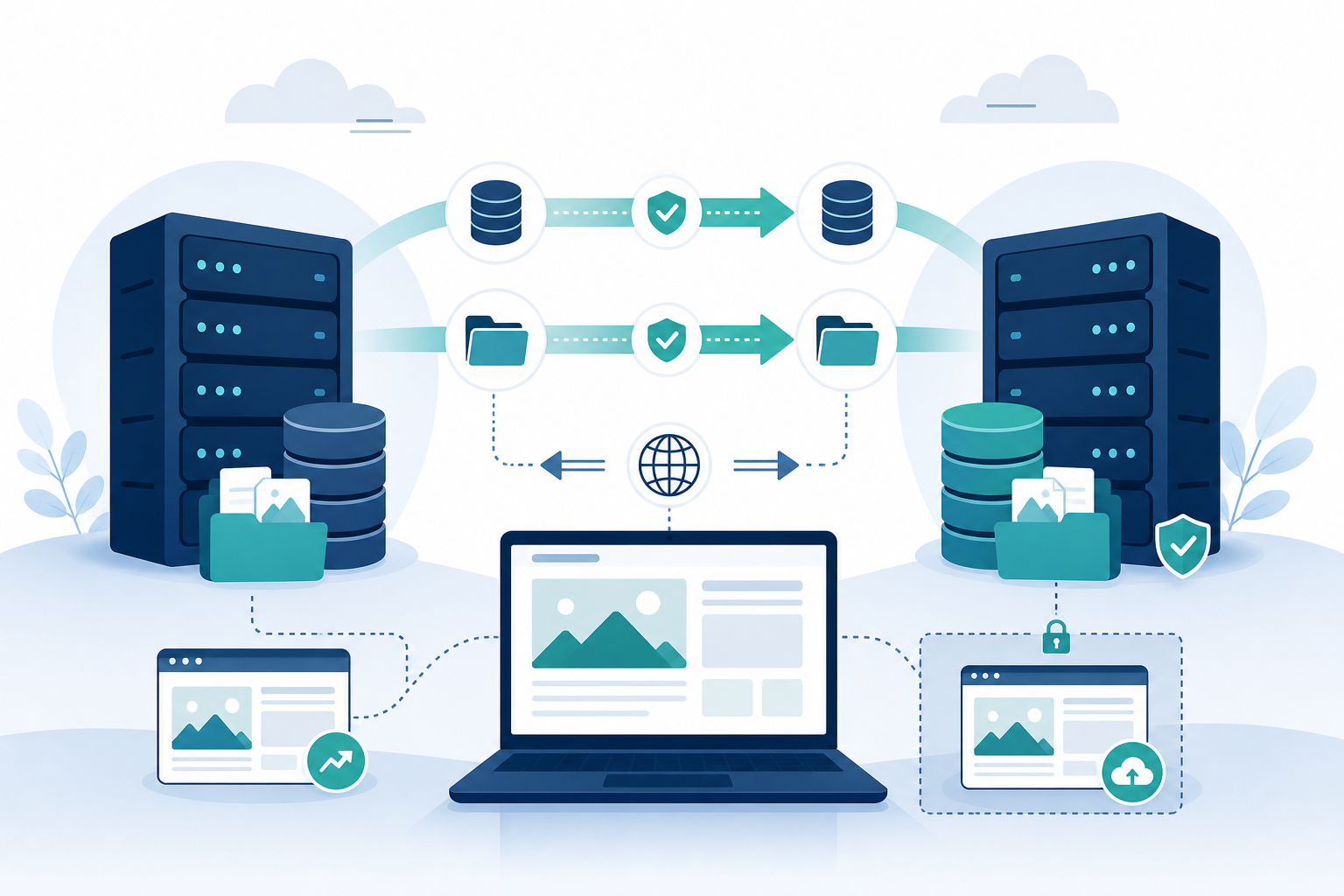
  • Pre-migration audit of plugins, cron, and disk usage
  • Full backup and staged copy before DNS changes
  • Database and files transferred with checksum-style verification
  • Email and DNS checks so mail does not silently break
Illustration of WordPress hosting migration and DNS

What you get

How WordPress migration services in Vancouver actually works

Concrete deliverables — no vague SaaS jargon. Each engagement is sized to your business and reviewed monthly.

Pre-flight audit

PHP version fit, disk space, cron jobs, and odd mu-plugins surfaced before moving day.

Staging copy

Clone to the new host, fix path issues, and test admin, forms, and checkout before cutover.

DNS & TTL

Lower TTL ahead of time when possible, plan apex vs www, and document what flips when.

SSL

Certificates, mixed content, and HSTS decisions validated on staging first.

Redirects

Permalink and domain changes mapped; 404 checks after launch.

Go-live testing

Login flows, payments, caching, and Search Console property updates — with a rollback path if something is off.

From experience

What actually breaks during a move

From our team’s years of agency support work, the copy finishing is not the same event as the site working on the new host.

  • Database and content parity

    Pages, media, users, or scheduled jobs missing on the destination.

  • Credentials and server components

    A newly provisioned server missing a package the application assumes is there.

  • Mail after cutover

    Forms and order notifications still pointing at the old SMTP or an SPF record that never moved.

  • Certificates and DNS

    The flip looks fine in the panel and fails in the browser.

  • Runtime compatibility

    Plugins that ran on the old PHP version fatalling on the new one.

From experience

Situations our team has handled

Anonymized examples from recent support work (2025–2026). Incomplete outcomes stay incomplete — we do not invent a clean ending.

2026

Replacement server failed the first parity check

What they saw
The website needed a check on a newly provisioned replacement host.
What we found
Validation found configuration and content-parity gaps.
What we did
Those items were worked through until the reviewer recorded that the final check passed.

2025

New server missing required components

What they saw
A newly provisioned server needed to be prepared and tested before the website moved.
What we found
Required components were missing, and a separate content-publishing problem appeared during testing.
What we did
The reviewer later confirmed the server was ready for the application.

Rewritten from internal notes. No client names. Dated in the current 2025–2026 window.

Before cutover

Hosting migration pre-flight

Most migration failures are not “the copy missed a file.” They are database, credentials, mail, certificates, or a plugin that hated the new PHP version.

Print this page to keep a paper copy beside the work.

  1. 1 Inventory the source: PHP version, database size, cron jobs, scheduled tasks, media offload, object cache, and every DNS record that is not obvious.
  2. 2 Confirm you hold credentials for the CMS, both hosts, the registrar, and the mailbox that receives form and order mail.
  3. 3 Build the destination with the required components before you copy the site. A newly provisioned server is often missing one of them.
  4. 4 Copy files and database to staging. Do not point production DNS yet.
  5. 5 Check content parity: a sample of pages, media, users, cron, and any scheduled content.
  6. 6 Send a test form and a test order email from the destination. Mail is the first thing that silently dies after a move.
  7. 7 Install the destination certificate and walk the site as HTTPS before the flip.
  8. 8 Review plugin and theme compatibility with the destination runtime.
  9. 9 Schedule the cutover, lower TTLs the day before, and keep the source read-only for a short overlap.
  10. 10 After DNS flips: forms, checkout, admin, SSL, and Search Console. Do not delete the source until those pass.

Public cutover is a separate event from “the copy is on the new server.” Do not treat them as the same milestone.

Our process

Migration steps we follow

  1. 1

    Audit

    Inventory size, sensitive plugins, and any multisite or subdirectory quirks.

  2. 2

    Backup

    Full files + database export with a verified restore test when the data matters.

  3. 3

    Stage

    Import to new hosting, update URLs, fix paths, and run through critical user journeys.

  4. 4

    DNS plan

    TTL, MX/SPF/DKIM for email, and cutover window agreed with stakeholders.

  5. 5

    Cutover

    Flip DNS or proxy, monitor errors, and keep the old environment read-only for a safe window.

  6. 6

    Post-launch

    Redirect validation, Search Console, performance spot check, and decommission plan for the old host.

Trusted technologies we support

  • Google Cloud
  • AWS
  • Microsoft Azure
  • Cloudflare
  • WordPress
  • Docker
  • cPanel
  • Linux

Related services

Pairs well with

WordPress hosting

Destination hosting with WAF and backups.

Learn more

WordPress development

Theme fixes uncovered during migration.

Learn more

Guide: Wix → WordPress

The no-downtime, SEO-safe migration checklist.

Learn more

What breaks during a move

Parity, mail, certificates, and the new PHP version — from experience.

Learn more

FAQ

Frequently asked questions

Can you move email too?
We review MX and mailbox hosting before touching DNS. If email lives elsewhere, we plan so cutover does not break delivery.
Will there be downtime?
We aim for minimal or zero visible downtime using staging and controlled DNS/proxy cutover. Some DNS propagation delay is normal.
What if the site is huge?
We chunk transfers, use efficient sync tools, and schedule quiet windows for final database syncs on busy stores.
Do you migrate multisite?
Yes, with extra mapping for domains and upload paths — scoped after a quick technical review.
The files are on the new server. Have we migrated?
Not until content parity, forms, certificates, and a monitored DNS cutover are done. “The copy exists” and “customers are on the new host” are different milestones.
What do you test before pointing DNS?
Required server components, a sample of pages and media, a form send, HTTPS on the destination, and plugin compatibility with the new runtime.

Plan a no-drama WordPress move

Send current host details and rough traffic — we will reply with a migration outline and timing.

Contact

Ready to modernize your IT?

Get expert guidance on security, hosting, WordPress care, and cloud.

Hours
Mon–Fri · 9:00 AM – 6:00 PM (PT)

Add any details that will help us understand what you need. Maximum 600 characters.

Typical first response: within four business hours, Monday–Friday. By submitting, you agree to our privacy policy.