

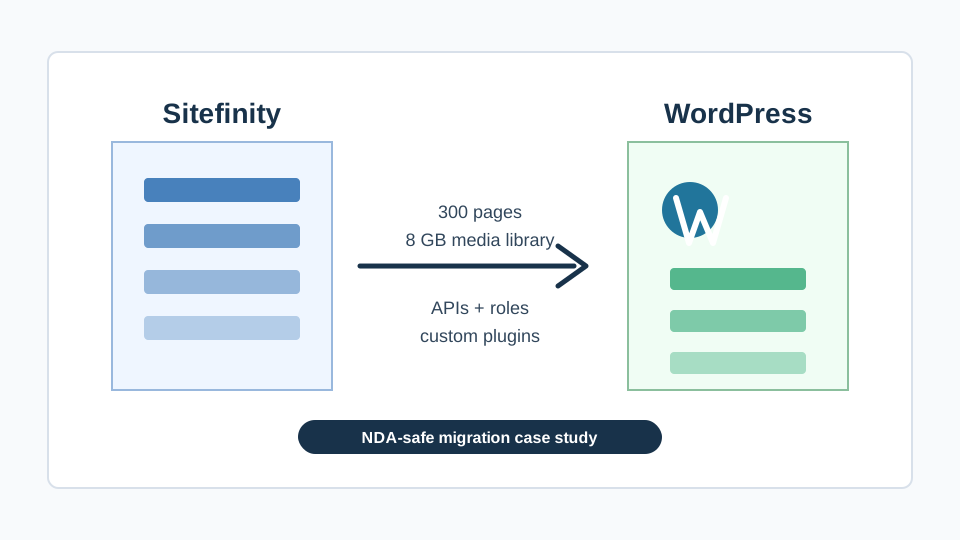
NDA-safe case study · Sitefinity to WordPress migration
We recently completed a Sitefinity to WordPress migration for an organization whose name and industry details are protected by NDA. What we can share is the business problem, the technical scope, and the outcome: a 300-page Sitefinity website with about 8 GB of PDFs, videos, user data, conditional resource access, and API integrations was moved to WordPress in roughly one and a half months.
Why migrate from Sitefinity to WordPress?
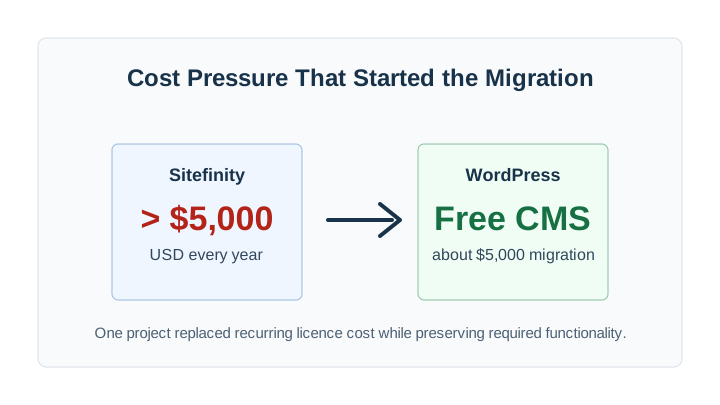
Sitefinity is a capable enterprise content management system, but its licence cost can become hard to justify when an organization mostly needs reliable content publishing, protected documents, user access rules, forms, integrations, and search. In this case, the annual Sitefinity licensing cost alone was already higher than US$5,000. That meant the client was paying a recurring fee every year before any new feature work, support, hosting, security hardening, or content maintenance started.
WordPress changed the economics. The WordPress CMS is free, widely supported, and flexible enough to reproduce complex publishing workflows when it is engineered properly. The project was not a simple theme swap. It was a structured platform migration: inventory the Sitefinity data model, preserve URLs where possible, rebuild the protected media library, map user roles, replace Sitefinity-specific logic with custom WordPress plugins, and keep the client-facing workflows intact.
The client did not want a cheaper website that lost important behaviour. They wanted to stop paying avoidable licensing cost while keeping the parts of Sitefinity that their staff and users depended on every day. That goal shaped every technical decision.
Project scope: 300 pages, 8 GB of media, and protected resources
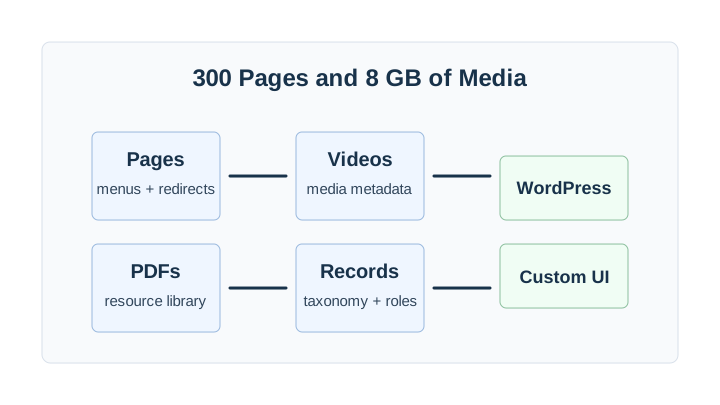
The website contained around 300 pages and about 8 GB of media assets. The media library was not just decorative images. It included PDFs, videos, and resources that had to remain organized, searchable, downloadable, and visible only to the correct users. Some content was public. Some content required login. Other resources depended on conditional logic tied to user roles and profile details.
That distinction matters because many migrations only move visible pages. A real Sitefinity to WordPress migration has to move the operational model too. If a user previously logged in and saw a specific set of documents, the new WordPress site needed to preserve that experience. If an internal team used a structured resource library instead of manually linking files, the migrated site needed the same administrative confidence.
We treated the project as a data migration and application rebuild at the same time. Content, media, users, permissions, metadata, redirects, and integrations were all part of the same delivery plan. That helped avoid the common post-launch problem where the public site looks correct but staff discover that the admin workflow is incomplete.
What we rebuilt in WordPress
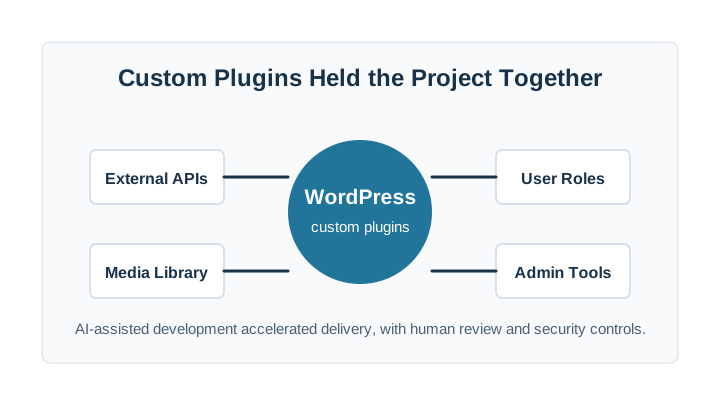
WordPress was a strong destination because it gave the client ownership and flexibility without a yearly CMS licence. The key was not to overload WordPress with unrelated plugins. We built the important project-specific behaviour as custom plugins, with focused responsibilities and clear data boundaries.
-
Content migration
Pages were exported, cleaned, mapped to WordPress content types, reviewed for formatting issues, and connected to a URL and redirect plan.
-
Media resource library
PDFs, videos, resource records, and metadata were moved into a structure that editors could maintain without depending on developers.
-
User accounts and roles
The access model was recreated so logged-in users continued to see the content intended for their role and profile conditions.
-
Conditional visibility
Custom logic controlled which resources appeared for different user groups, preserving a core business rule from the Sitefinity website.
-
API connections
Existing API integrations were reviewed, rebuilt where required, and tested against the new WordPress implementation.
-
Security and launch controls
Authentication, permissions, backups, plugin code, admin access, and launch procedures were reviewed before the cutover.
Preserving conditional logic and user roles
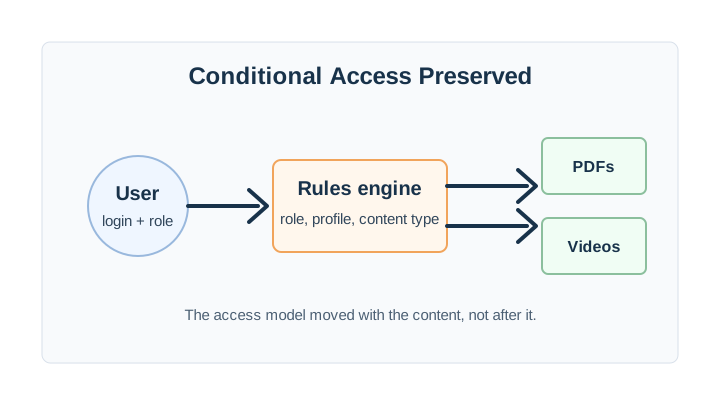
The most sensitive part of the project was not the page count. It was access control. The website had logged-in users and a user database. Resource visibility depended on roles and conditions, which meant the migration had to protect both usability and privacy. A public visitor, a general logged-in user, and a user in a specific role could not all see the same library.
We mapped the old logic into a WordPress-ready model, then implemented the rules in custom code instead of relying on a chain of generic membership plugins. That reduced ambiguity. Each rule had a purpose: identify the user, evaluate the role or condition, return the correct resources, and avoid exposing protected files through a direct path or search leak.
For editors, the goal was simplicity. Staff needed to publish or update resources without memorizing technical rules. For users, the goal was continuity. After launch, the right people needed to log in and find the right documents and videos without learning a new process.
API connections and custom WordPress plugins
The Sitefinity site had API connections that still needed to work after the migration. We reviewed those integrations and separated them from the visual rebuild. That let us test the business logic independently from page templates and content formatting. When an API integration is mixed into a theme or page builder, it becomes harder to maintain. For this project, custom plugins were the cleaner long-term approach.
Those plugins handled the parts of WordPress that were specific to the client: resource-library behaviour, conditional access, integration touchpoints, and admin workflows. The code was developed quickly with help from advanced AI tools, but not blindly generated and shipped. We used AI to accelerate repetitive engineering, explore implementation options, and produce first drafts where appropriate. Human review, testing, security checks, and deployment discipline stayed in place throughout the project.
This is the balance we recommend for complex migrations. AI can reduce delivery time when experienced developers control the architecture, understand the risks, and verify the result. It should not replace security review, code ownership, or a clear migration plan.
How we delivered in one and a half months
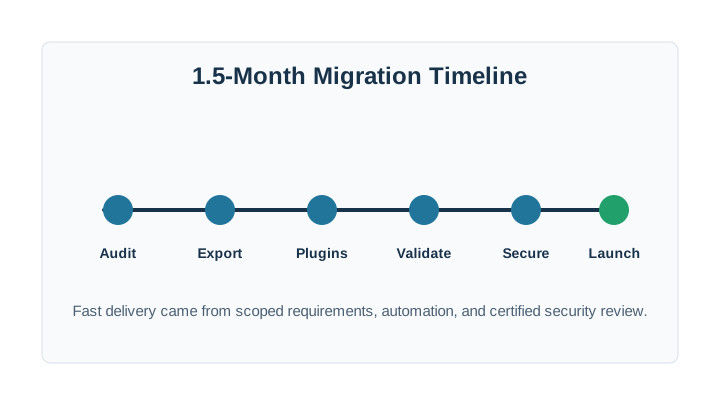
The timeline was fast because the work was organized around risk. We did not start by polishing templates. We started by understanding what could break the business: missing content, broken protected resources, failed API calls, user-role errors, security gaps, and launch-day redirects. Once those were visible, the rest of the project could move in parallel.
The migration followed a practical sequence: audit the Sitefinity site, export and normalize content, define WordPress data structures, build custom plugins, migrate the media library, test conditional access, validate API behaviour, review security, then launch with monitoring. Each phase produced something testable. That made it possible to move quickly without waiting until the final week to discover whether the hard parts worked.
For a 300-page, 8 GB website with logins, protected media, and integrations, one and a half months is an efficient delivery window. The reason it worked was not luck. It was clear scope, automation, experienced migration planning, and a secure review process.
Security and certification mattered
A migration like this touches user data, protected resources, authentication, and third-party integrations. That is why security was part of the implementation instead of a final checkbox. We reviewed permissions, login behaviour, file access, admin roles, plugin code, backups, and launch procedures. The client needed cost savings, but not at the expense of confidentiality or reliability.
Metro Vancouver IT is certified and security-focused, and that matters when replacing enterprise CMS functionality with a more flexible open-source stack. WordPress can be very secure when it is built and maintained correctly. It can also become risky when projects depend on too many plugins, weak access rules, or unmanaged hosting. Our approach was to keep the stack focused, document what was custom, and protect the parts of the site that controlled access to private resources.
The business result
The client moved away from a Sitefinity licence costing more than US$5,000 per year and into a WordPress site with no CMS licence fee. The migration itself cost about US$5,000 and included the important business functions: pages, media resources, videos, PDFs, API connections, logins, user roles, conditional resource visibility, custom plugins, and launch support.
That does not mean every Sitefinity migration costs the same. Scope changes the price. A small marketing site is simpler. A regulated member portal with integrations is more complex. But this project shows what is possible when the goal is specific: keep the functionality, reduce recurring software cost, and move quickly without exposing the client.
Frequently asked questions
Can you disclose the client name?
No. The project is under NDA, so we cannot disclose the client name, industry specifics, screenshots, or identifying details. This case study only shares non-identifying scope, cost, and technical lessons.
Is WordPress really free compared with Sitefinity?
The WordPress CMS is free open-source software. A professional WordPress site still has costs for migration, hosting, maintenance, security, backups, and custom development. The difference is that there is no recurring WordPress CMS licence fee like the Sitefinity licence in this project.
Can WordPress handle protected PDFs, videos, and role-based access?
Yes, if the access model is designed properly. For this project, we used custom plugins and explicit permission logic so different users could see different resources based on roles and conditions.
How long does a Sitefinity to WordPress migration take?
This 300-page, 8 GB migration took about one and a half months. Smaller sites can move faster. Sites with complex integrations, compliance requirements, or large protected libraries need more discovery and testing.